
Five people. Four hundred clients.
I Run a CA Firm with 5–10 Employees and Hundreds of Clients. Which Software Should I Use?
If your firm has 5–10 employees and 250–500 GST clients, the right practice management software changes how much your team can get done. A small team has to handle recurring GST returns, TDS filings and Income Tax work. It also collects documents, talks to clients, answers notices, coordinates staff and chases payments.
Running all of that through Excel, WhatsApp, email and separate apps creates admin work you do not need.
The short answer
Turia is CA practice management and automation software built to help small and growing CA firms run hundreds of clients from one platform.
It combines client management, recurring compliance tasks, WhatsApp, documents, a client portal, notices, billing, timesheets, staff management and AI-powered automation. For a five-person firm with 250–500 clients, that means one system instead of many disconnected tools. It organises operations, automates repetitive work and shows what everyone is doing.
Chapter 1 · The short list
What Software Should a CA Firm with 5–10 Employees Use?
A small firm with hundreds of clients needs software that handles both practice management and operational automation. It should let the team you already have take on more clients without more admin. Ideally, it gives you:
- Centralised client management
- Separate client login and document exchange
- Digital document inward and outward registers
- WhatsApp and email integration
- Automatic recurring GST, TDS and Income Tax tasks
- Employee-wise task allocation and tracking
- Government notice monitoring
- Tax demand and resolution tracking
- Staff attendance and timesheets
- Billing, invoicing and payment reminders
- DSC register and expiry alerts
- Cloud access across office locations
Turia brings these together in one CA practice management platform. Instead of separate apps for clients, tasks, documents, billing and staff, the whole firm works from one shared workspace.
Chapter 2 · Meet the firm
Why Is Managing 250–500 Clients with a Small Team Difficult?
Picture a small firm with hundreds of recurring activities every month. During a typical GST cycle, the same small team has to work through every step below, and then repeat it for the next compliance period.
The biggest problem is not the returns themselves. It is that employees spend much of their day coordinating work instead of doing it.
Consider a firm with…
- One CA or managing partner
- One senior accountant
- Two accountants or article assistants
- One administrative employee
- About 400 GST clients
- Income Tax, TDS and other statutory work on top
- Find clients whose returns are due
- Request documents
- Chase pending documents
- Allocate assignments
- Prepare and review returns
- Update filing status
- Share final documents
- Raise invoices
- Chase payments
Here is where that coordination breaks down in small CA firms:
1. Too many WhatsApp conversations
Different clients message different employees. Important documents and requests become hard to track.
2. Manual document collection
Employees keep asking for bank statements, purchase invoices, sales records and other information.
3. Repetitive task creation
The same GST and TDS assignments have to be created every month.
4. No central view of tasks
Partners cannot easily see which employee is handling which client or assignment.
5. Missed compliance deadlines
When tracking depends on spreadsheets and manual reminders, some assignments slip.
6. Hard-to-monitor notices
Employees check several government portals and keep separate records of notices.
7. Manual fee collection
The team spends time following up on outstanding invoices.
8. Limited partner visibility
Partners keep asking employees for updates to understand the firm's workload.
A small CA firm cannot spend a large share of its hours on admin. It needs a system that automates the repetitive work and shows the partner the whole practice.
Chapter 3 · What a small firm needs
What Should Software for a Small CA Firm Offer?
When you evaluate software for a five-person firm with 500 clients, check each of these, and why it matters at your size:
- Client Master
- One central database of all 500 clients
- Client Portal
- Clients upload and download documents themselves
- Document Management
- Client documents organised, with inward/outward records
- WhatsApp Integration
- Client communication connected to the work
- Recurring Tasks
- Monthly, quarterly and annual assignments generated for you
- Compliance Tracking
- GST, TDS and Income Tax work monitored in one place
- Task Allocation
- Work distributed across five employees
- Notice Management
- Government notices identified and tracked
- Demand Tracking
- Demand-related work and follow-ups organised
- Attendance
- Employee attendance and leave in view
- Timesheets
- Time spent on each client understood
- Billing
- Invoices raised and collections tracked
- Cloud Access
- Work reachable from more than one office
- Automation
- Fewer manual document requests and follow-ups
It also has to be affordable for a small practice. Look at the annual subscription, add-on module costs, WhatsApp charges and any third-party integrations before you decide. For a wider comparison, see the top 10 practice management software for CA firms in India.
Chapter 4 · Twelve jobs, one system
How Turia Helps a Five-Person CA Firm Manage 500 Clients
Turia organises the whole practice through connected modules. Here is what each one does for a small team, and whose workload it lightens most. For every feature in each module, see why Turia is the most suitable practice management software for CA firms.
4.1Manage All 500 Clients Through One Client Master
PAN, GSTIN, entity details, services, documents, tasks, credentials, DSC and licences sit in one client record. When two employees handle different work for the same client, they read from the same place.
Helps: EveryoneClient management →
4.2Give Every Client a Separate Client Portal
Clients upload documents, download completed work and share information through their own login. Document exchange stops depending on one employee's WhatsApp.
Helps: Admin / CoordinatorClient Portal →
4.3Maintain a Digital Document Inward and Outward Register
Every document received or delivered is logged against the client. With hundreds of clients, that accountability is what keeps files from going missing.
Helps: Admin / CoordinatorDocument tracking →
4.4Automate Client Communication Through WhatsApp and Email
WhatsApp Business, Gmail and Outlook connect to the work. Reminders go out on configured triggers, and a client's WhatsApp request becomes a task assigned to someone.
Helps: AccountantsWhatsApp automation →
4.5Generate GST, TDS and Income Tax Tasks Automatically
GST, TDS, Income Tax, MCA and ROC work is generated on schedule. Each assignment carries a client, an owner, a deadline, a priority, a checklist and a status.
Helps: Senior AccountantTask automation →
4.6Automate Document Collection with AI Agents
When a GST assignment is generated, the Document Collection Agent asks the client for documents on WhatsApp or email and follows up until they arrive. The employee just watches the status.
Helps: Admin / CoordinatorHow the agent works →
4.7Automatically Deliver Completed Documents
Once a return reaches its completion trigger, the Final Document Agent sends the finished documents to the client. No one has to remember to share them.
Helps: AccountantsFinal Document Agent →
4.8Monitor GST, Income Tax and TRACES Notices
The paid Notice Management add-on fetches supported notices from the GST, Income Tax and TRACES portals and ties each one to its client and owner. Replies and statutory decisions stay with the professional.
Helps: PartnerNotice management →
4.9Organise Tax Demand-Related Work
Payment, rectification, appeals and follow-up deadlines are organised as tracked tasks. Automatic demand detection should be checked separately for each portal.
Helps: PartnerTask management →
4.10Manage Employees, Attendance and Timesheets
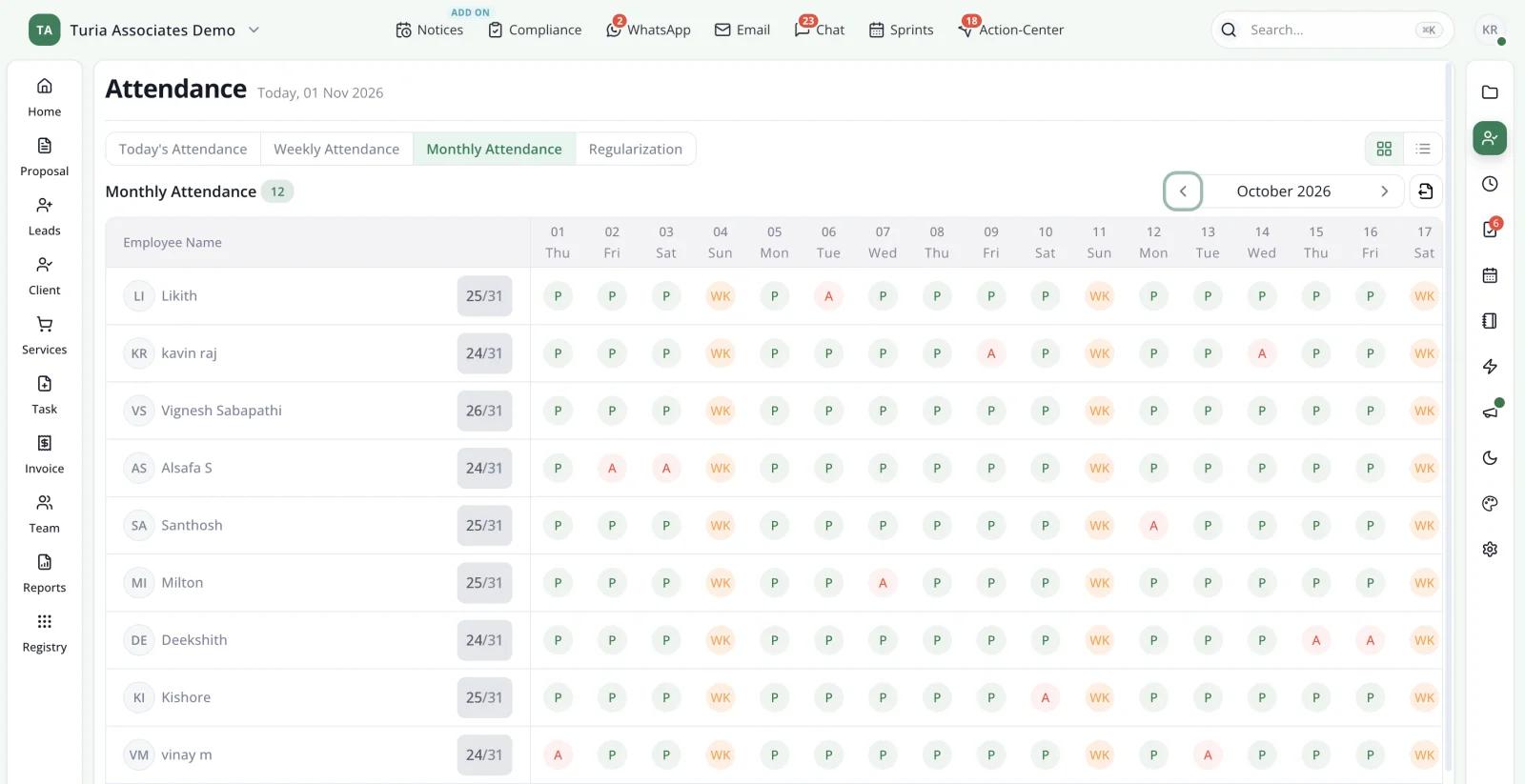
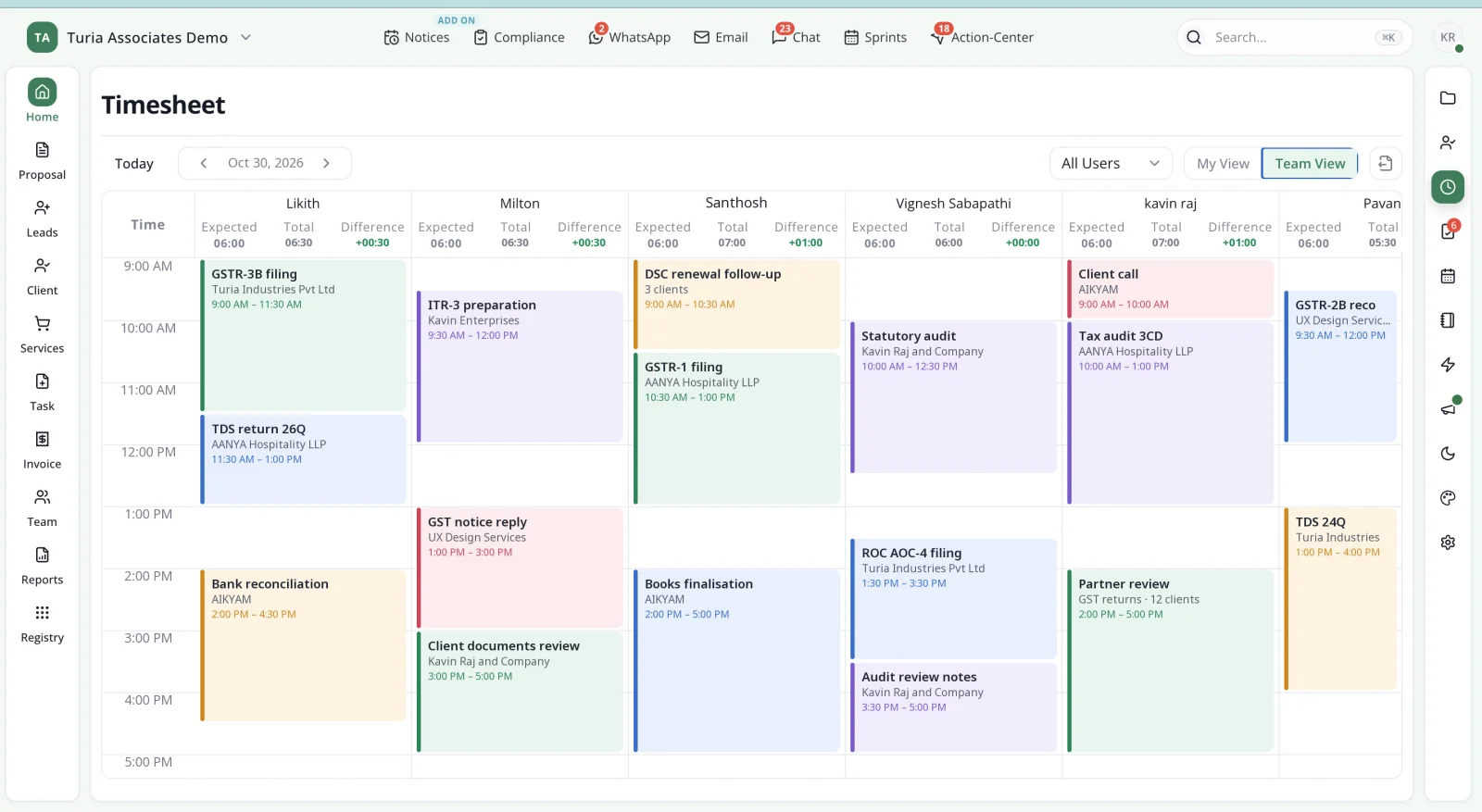
Attendance, leave and timesheets sit next to the work. The partner assigns clients to each person and sees progress without asking.
Helps: PartnerTimesheets →
4.11Manage Billing and Fee Collections
Proforma and final invoices, billable time, expenses and payments live in Turia. The Invoice & Collection Agent chases dues and the Payment Acknowledgement Agent confirms payments.
Helps: Admin / CoordinatorInvoicing →
4.12Access the Firm from Multiple Locations
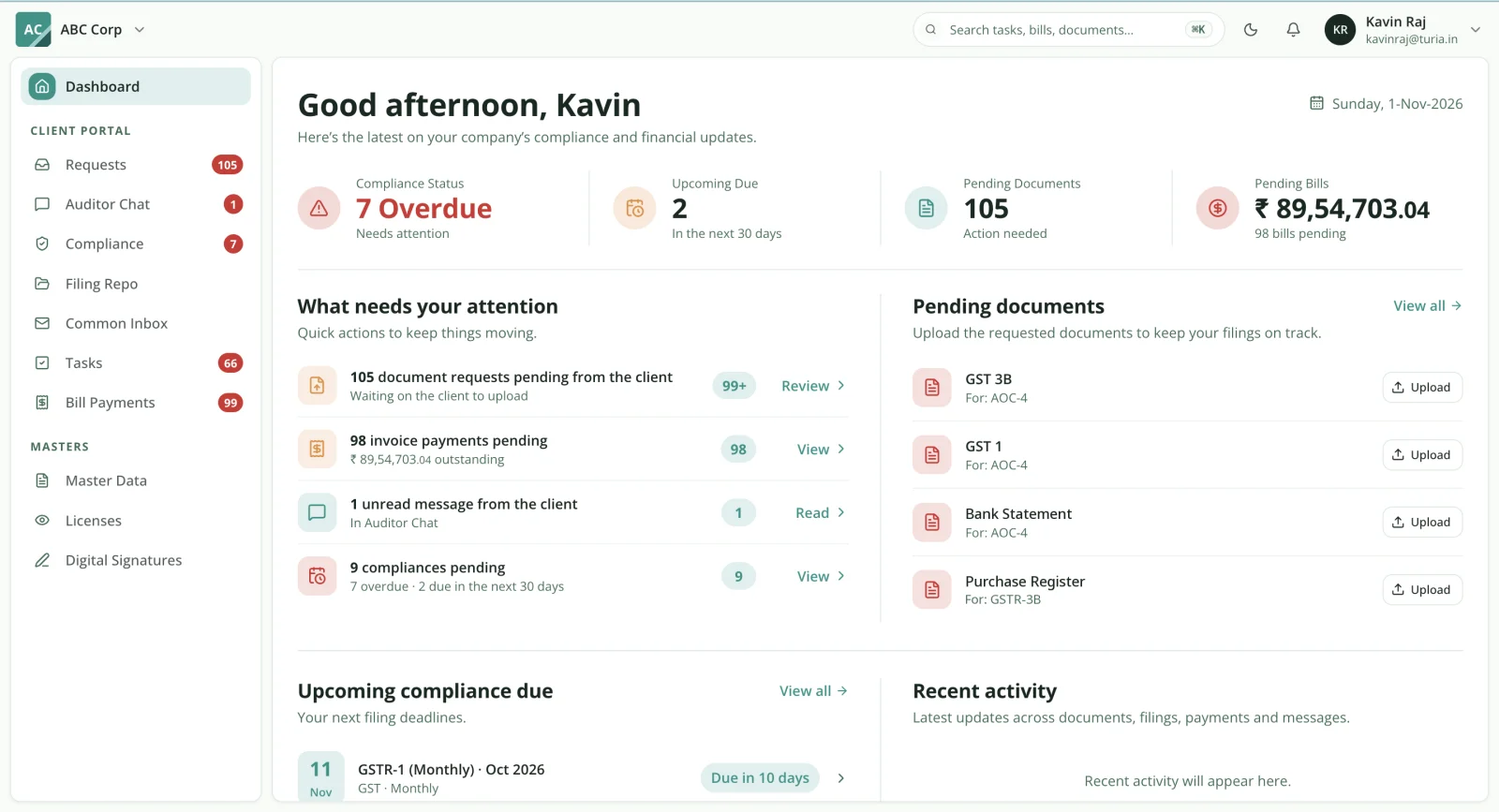
Turia is cloud-based. A partner in one branch can follow work done in another, within the access permissions the firm sets.
Helps: PartnerRunning more than one office →
Chapter 5 · Who does what
How Should a Five-Person CA Firm Distribute Its Work?
Software will not fix operations if responsibilities are unclear. Here is an illustrative way a five-person firm with 400–500 clients can split the work, and what each person uses in Turia.
CA / Partner
Review, approvals, client relationships and oversight
in TuriaDashboards, task review and practice reports
Senior Accountant
Work allocation and compliance supervision
in TuriaTask management and timesheets
Accountant 1
GST and TDS assignments
in TuriaClient Master, recurring tasks and compliance tracking
Accountant 2
Income Tax and other assignments
in TuriaTasks, documents and client communication
Admin / Coordinator
Document collection, reminders and billing support
in TuriaClient Portal, WhatsApp, invoices and collection workflows
This is only an example. Your split should follow your services, your people's experience and the workload. What matters is that every assignment has a clear owner, a deadline and a status. Turia gives you that structure.
Being a CA, I have been making use of Turia Software to keep a check on all our team activities and follow-up with our clients. … This has helped our team avoid a lot of manual work, and coordination has become better.
— Rohan Kamat, Chartered Accountants
Chapter 6 · What the team stops doing
How Much Work Can a Five-Person Team Automate?
Take a firm with 400 clients. These are the repetitive jobs that can be automated or systematised:
Not everything becomes fully autonomous. Employees still prepare returns, review filings, take statutory actions and make professional decisions. The aim is to remove repetitive coordination wherever a reliable automation exists.
For the full activity-by-activity breakdown, and how many hours it gives back, read the best end-to-end CA practice automation software for firms in India.
Chapter 7 · What it costs at five users
What Does Turia Cost for a Five-Person CA Firm?
Cost matters most to small practices. Turia charges an annual fee by number of users, never by number of clients. For a 5–10 person firm, two plans matter:
Basic
₹6,999/year
Up to 5 users · unlimited clients
Starter
₹9,999/year
Up to 10 users · unlimited clients
Prices exclude 18% GST. Both plans carry the same full feature set, and Turia's AI agents come at no extra cost. Growing past ten people? The Growth plan covers 20 users for ₹16,999. There is a 7-day free trial.
Other costs to check
- The Notice Management add-on, if you want notices fetched from the portals.
- Expanded Client Portal storage, where you need it.
- WhatsApp Business provider and message charges.
- Any third-party integrations or custom configuration.
Turia Practice Management App has streamlined client management, compliance monitoring, and task allocation in our CA practice. Its intuitive interface, affordability, and timely reminders enhance overall efficiency.
— Ganesh Kumar J, Chartered Accountants, Bangalore
See every plan on the Turia pricing page.
500+ CA firms use Turia Practice every day












See how other small firms set up Turia in our CA firm case studies.
Chapter 8 · Is it a fit?
Is Turia Suitable for a CA Firm Managing 250–500 GST Clients?
Turia suits firms that want to grow their client base without growing the admin. It is worth a look if your firm:
- Has 5–10 employees
- Manages 250–500 GST clients
- Handles recurring GST, TDS and Income Tax work
- Uses WhatsApp heavily for document collection
- Wants a separate client portal
- Needs employee-wise task allocation
- Wants to monitor government notices
- Needs timesheets and attendance
- Wants billing and collections in the same system
- Works from more than one office
Some needs call for checking first. If you want fully autonomous portal filing, demand detection on every portal, or tasks that close themselves after every filing, validate those integrations before you buy.
Want the bigger picture of one system running every operation? Read which software can handle all the operations of a CA firm.
Chapter 9 · Questions firms ask
Frequently Asked Questions About Software for Small CA Firms
Which is the best software for a CA firm with five employees?
It should cover client management, recurring compliance, document collection, task allocation, employee management and billing. Turia is one option built for small and growing CA firms that want all of these in a single platform.
Can five employees manage 500 GST clients using software?
Yes. A structured practice management system helps a small team run hundreds of clients through recurring assignments, clear ownership, automated reminders and central reporting. Real capacity depends on the services you provide and how complex each client's work is.
How should a small CA firm divide work among five employees?
Give each person a clear lane. The partner reviews and approves, and a senior accountant allocates and supervises. Two accountants own GST/TDS and Income Tax work, and an admin coordinator handles documents, reminders and billing. Every assignment should have one owner, one deadline and one status.
Which Turia plan should a 5–10 person CA firm choose?
The Basic plan covers up to 5 users and the Starter plan up to 10. Both include the same full feature set and unlimited clients, so the only question is team size. A five-person firm planning to hire can start on Starter.
Does Turia charge per client?
No. Turia's plans are priced by the number of users, not clients. Every plan includes unlimited clients, so growing from 250 to 500 clients does not change the price.
How much does CA software cost for a five-person firm?
Turia's Basic plan is ₹6,999 a year for up to five users, excluding GST. Optional Notice Management, extra Client Portal storage and WhatsApp provider charges may apply.
Can Turia replace Excel, WhatsApp and Google Drive completely?
Turia can take over most practice management work that firms otherwise run through spreadsheets and separate tools. Firms may still use email, accounting software and cloud storage where their workflows need them.
Same five people. Far less chasing.
Manage Hundreds of Clients Without More Admin
A CA firm with five employees and 500 clients does not need more spreadsheets, more apps or more manual follow-ups. It needs a structured operating system.
Turia helps small and growing firms centralise client information, generate recurring assignments and manage compliance. It automates document collection, monitors notices, allocates work and runs billing. Its AI agents also take on document collection, final document delivery, invoice follow-ups and payment acknowledgements.
If you run a CA firm with 5–10 employees and hundreds of clients, Turia is worth evaluating as your central practice management and automation platform.
Further reading